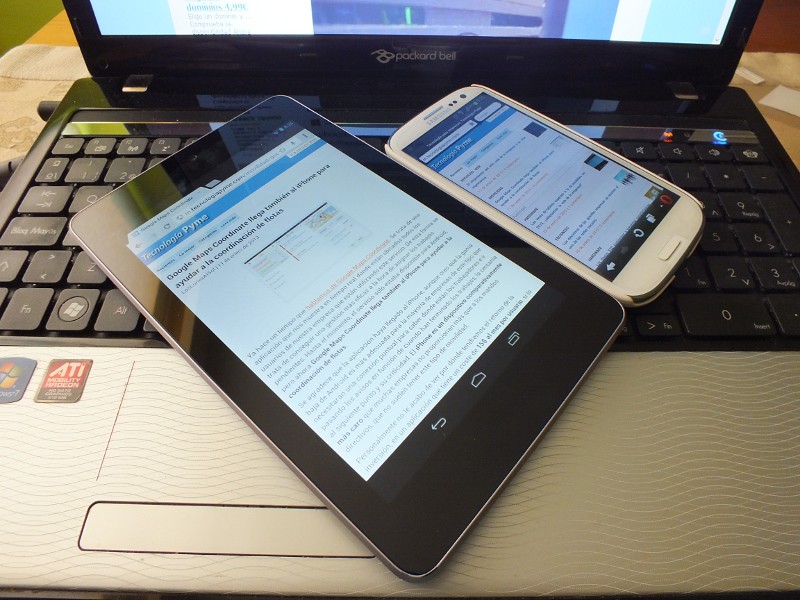
Laptops, tablets, smartphones, how many devices should a student have for school? I still think that someday there will be the ONE, the one device that connects everything together. That device may require some implants and numerous patents that do not yet exist. So, let's stick to the present day and address the question: How many devices should a student have?
I recently had a casual conversation with a Google Android Engineer on this question. "How do you picture your end user? Do you think they will have one Android device and that's it?" I thought I was going to get an insider's view of "The One" prophecy, instead I got an amazing anecdote.
You know, when I held my first tablet several years ago, I thought to myself, "The only thing I would ever use this for is reading in bed." Then it donned on me; Why don't I use this for reading in bed?!? That's a great idea, and so, I put one on the nightstand!
Embrace that devices serve finite purposes.
That was all I needed to send my cortical gears spinning!
The tablet debate rages on. Teachers are posting articles on the 100 best apps for education, publishers are vying for market share in the reader app market, schools scramble to get their name in the paper as the next 1:1 tablet school. It's a hot topic and a phenomenally powerful device hands down! Tablets have amazing apps for education and are great for reading, true! If we spend all of our time trying to justify using only a tablet device in the classroom however, we get bombarded with exceptions! "I need proprietary software, that's not an App", "I need a USB port for an external instrument.", "I can't type on a miniature keyboard." The excuses mount as you try to replace the laptop or all other educational technology with the one tablet. So stop fighting! Don't have just one device!
Ideally, the current Tech Student would have two devices. A laptop and some other "smart" device like a tablet or phone. The laptop is still the most powerful computing device available. I won't go into all of the specs to compare, as I am sure there is a reader who is disagreeing with me at this very moment. When it comes to writing essays, using scientific instruments (that require proprietary software not available in an App) and for efficient multi-tasking, the laptop wins. So, keep the laptop. The second device is the tablet or phone! Load every reader app and have students purchase completely digital books! I have informally surveyed students about digital books: They love them! Overall, they have no problem reading digitally and enjoy the ability to store notes electronically. Smart devices have instrumentation of their own: gyroscopes, gps, cameras and more! Use them! Find apps that supplement what is on the laptop. Stop trying to find a 100% replacement solution and embrace that devices serve finite purposes.
I know that there are limited resources in education. Some schools have no choice but to choose one device or have a Bring Your Own Device model that attempts to get one device in the hands of all students. Choose the right device for the situation you have. I am fortunate enough to have a 1:1 laptop program in my school and we have struggled with the "can we replace laptops with tablets?" question for a while now.
We are looking at a two device solution as far as the ideal Tech Student. They will use the tablet and laptop for their strengths. Use the App when there is one, use the computing power when needed. Keep it simple!


